v10.3 Faster high-throughput capture and Windows compatibility fixes See what's new

Debug HTTP API calls between apps and backends

Capture, inspect, and replay HTTP/HTTPS traffic from browsers, desktop apps, and AI agents without changing proxy settings.

Free 7-day trial · No registration · Windows 11 / 10

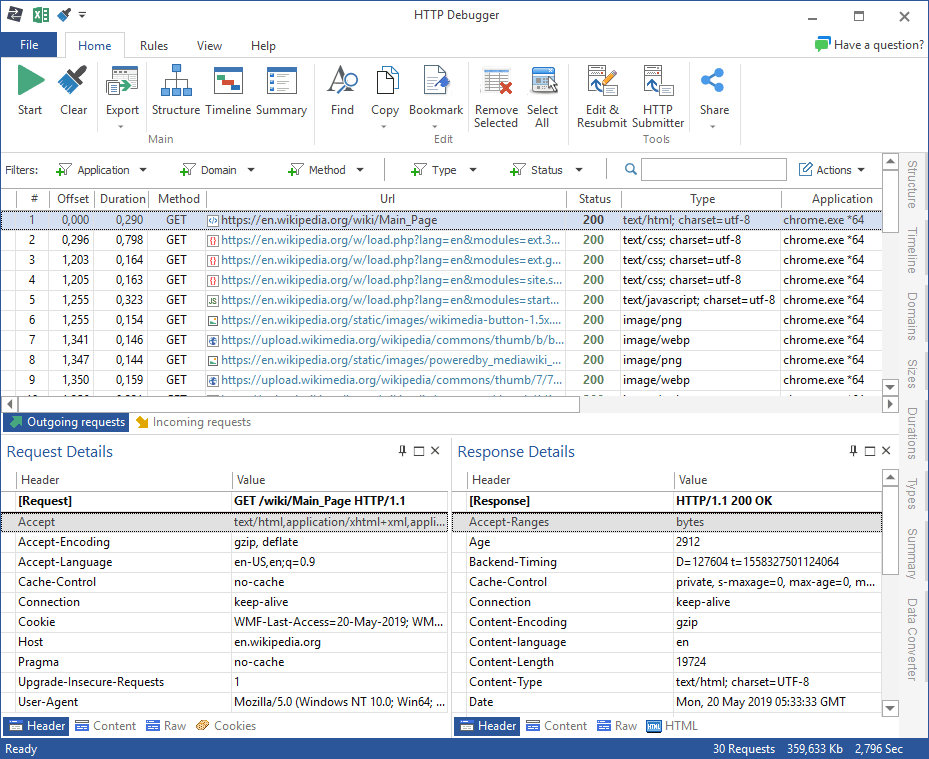
HTTP Debugger traffic capture interface

HTTP Debugger is used by thousands of companies around the world

  • Capture

    Capture traffic system-wide

    See HTTP and HTTPS requests from browsers, desktop apps, services, Java and .NET clients, and local servers without changing proxy settings.

  • Inspect

    Inspect modern API calls

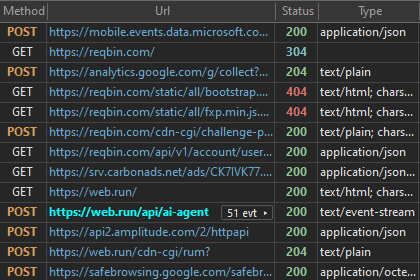
    View headers, bodies, cookies, JSON/XML, HTTP/2 details, WebSocket frames, Server-Sent Events, and gRPC messages.

  • Debug

    Replay and modify requests

    Edit and resend HTTP sessions, simulate server responses, rewrite HTTP headers, and redirect TCP connections.

AI agent traffic

Inspect the streams that power AI agents and copilots

Agentic apps rarely behave as a single clean request. They stream model output, tool calls, progress events, and backend responses over WebSocket, Server-Sent Events, gRPC, and HTTP/2. HTTP Debugger captures and analyzes those streams from the real Windows process that sends them.

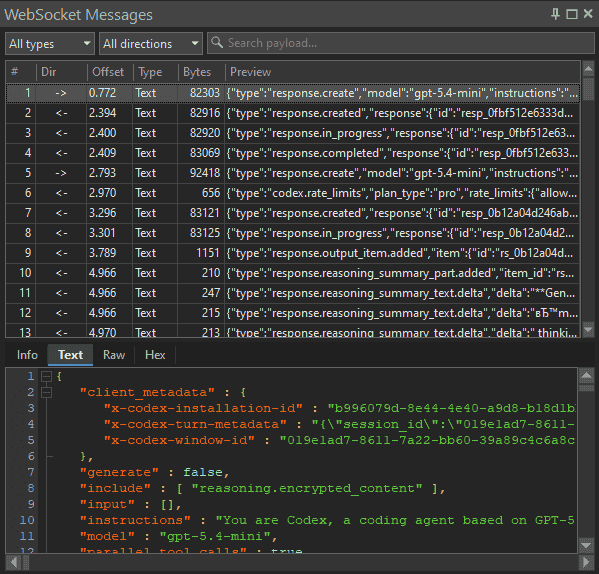
Messages and Events pane in HTTP Debugger showing live SSE deltas, WebSocket frames, and gRPC messages

What our customers say

Why engineers keep using HTTP Debugger

  • I do a lot of web development and your tool is much easier to use than others and it does not use the pcap library. I liked the simplicity and the Excel export capacity of HTTP Debugger.
    JE
    John Eischen
    Senior Consultant
    Piacenza area, Italy
  • HTTP Debugger made the whole process of identifying problems with code easier. Very useful for testing my app's HTTP web requests, particularly useful when debugging OAuth.
    RC
    Rhys Campbell
    DBA at Swiss Telecoms Company
    Bern, Switzerland
  • I use HTTP Debugger to test microcontrollers communicating within an IoT architecture. It enabled me to test what a packet should look like when accessing REST API service. Best of luck with your cool product.
    GV
    Glenn Vassallo
    CTO, SmartShepherd · AgTech
    Sydney, Australia

Core workflows

Turn hidden HTTP traffic into a clear repro

Proxy-less capture

Debug traffic from apps that do not use your browser proxy

HTTP Debugger captures traffic at the system level, so apps connect directly to the destination server — no proxy in the path. That makes it useful for Windows desktop apps, services, Java/.NET clients, Android emulators, and local web servers.

  • No browser proxy changes
  • 32-bit and 64-bit process traffic
  • Client and local server traffic

Modern protocols

Understand streaming APIs, not just request/response calls

Modern apps and AI agents often stream data instead of returning one simple JSON response. HTTP Debugger exposes HTTP/2 streams, WebSocket frames, Server-Sent Events, and gRPC messages in a dedicated Messages / Events pane.

  • HTTP/2 stream details
  • WebSocket frames
  • Server-Sent Events and gRPC messages

Request replay

Reproduce API issues without changing the client code

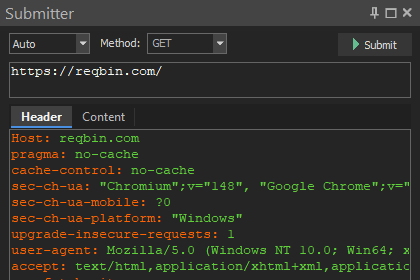
Drag a captured request into Submitter, adjust headers, cookies, body, method, or URL, then resend it to verify auth, CORS, routing, validation, and backend behavior.

  • Edit and resubmit sessions
  • HTTP/2 Submitter support
  • Compare working and failing calls

Server simulation

Mock server responses and modify HTTP traffic without changing server code

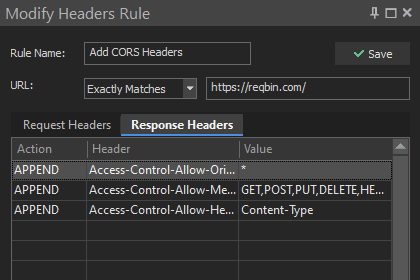
Use Auto-Reply, HTTP Modifier, and TCP/IP Redirector to simulate server errors, swap in staging endpoints, rewrite response headers, drop or change cookies, and force redirects — without touching the backend.

  • Auto-Reply mocked responses
  • Modify response headers and body
  • Redirect to a different server

Analysis

Pinpoint slow, broken, or important requests

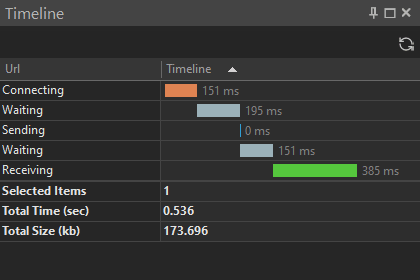
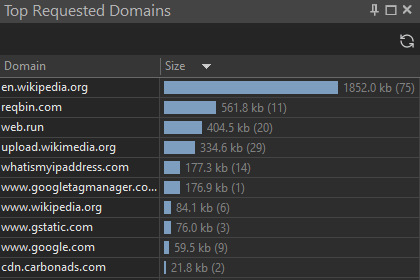
Use timings, highlighting rules, filters, charts, bookmarks, and exports to narrow large captures into the requests that explain a bug or performance issue.

  • Timings and charts
  • Quick filters and highlighting
  • Excel, JSON, XML, CSV/TSV export

Visualize, analyze, and modify HTTP traffic

Download a free 7-day trial

Capture HTTP/HTTPS traffic from Windows apps, inspect modern protocols and AI agent streams, replay requests, and export the evidence you need.

Windows 11 / 10. Trial works without limitations for 7 days. EULA