HTTPS is designed to keep traffic private from third parties, including tools on the same machine. To read it, an HTTP debugging app presents the client its own certificate in place of the server's. This technique is called a man-in-the-middle (MITM): the app acts as a local certificate authority and signs a certificate for the requested host on the fly.
In most cases, if you see HTTP traffic but no HTTPS, the local root certificate isn't set up correctly. For the client to accept that substitute certificate, it must trust the root that signed it, so HTTP Debugger installs its own local root into the store the client reads. Until then, HTTP Debugger can't decrypt HTTPS, so you see an "inspection is off" notice above the grid instead of the requests it can't read.
How to fix HTTPS traffic that isn't captured on Windows
- Start HTTP Debugger, open a browser, and visit any HTTPS site.
- If the HTTPS request doesn't appear, an HTTPS inspection is off notice shows above the grid. Click its "Install certificate" button: the root installs into the Windows store and HTTPS decryption turns on.
-
Firefox and Opera get the same root automatically. Java is the
exception: import it manually with
keytool(see below). - Press F5 to reload; the HTTPS traffic now appears, decrypted.

Why your HTTPS traffic isn't decrypted (even though HTTP shows up)
HTTP carries no certificate, so it always shows. HTTPS stays encrypted when path validation fails: under TLS 1.3 (RFC 8446 §4.4.2) the client checks the server's certificate against its set of trusted roots, and RFC 5280 §6 requires a chain up to a configured trust anchor. If the local root isn't that anchor, the client rejects the substitute certificate: nothing to decrypt, nothing to show.
HTTP Debugger uses a low-level capture model rather than a proxy, so once the root is trusted it decrypts HTTPS from every process on the machine: browsers, desktop apps, Windows services, and command-line tools like curl. Each decrypted request records the process (ID, name, and path), the local and remote address and port, and the SSL flag. Nothing is installed on the origin servers; only the local root has to be trusted.
Different clients read different certificate stores
Windows doesn't have one certificate store: it has several, and a client only trusts the root certificate if it's present in the store that client reads. This is the single most common reason HTTPS still won't decrypt after you "already installed the certificate": you trusted it in the Windows store, but the app reads a different one.
| Client / runtime | Trust store it reads | How the root gets trusted |
|---|---|---|
| Windows apps, Chrome, Edge, most desktop and CLI tools | Windows system store (Trusted Root Certification Authorities) | HTTP Debugger, one click |
| Firefox, Opera | The browser's own NSS certificate store | HTTP Debugger, automatically |
| Java apps (JVM) | The Java keystore (cacerts) | You, manually with keytool |
How to install the HTTP Debugger root certificate on Windows
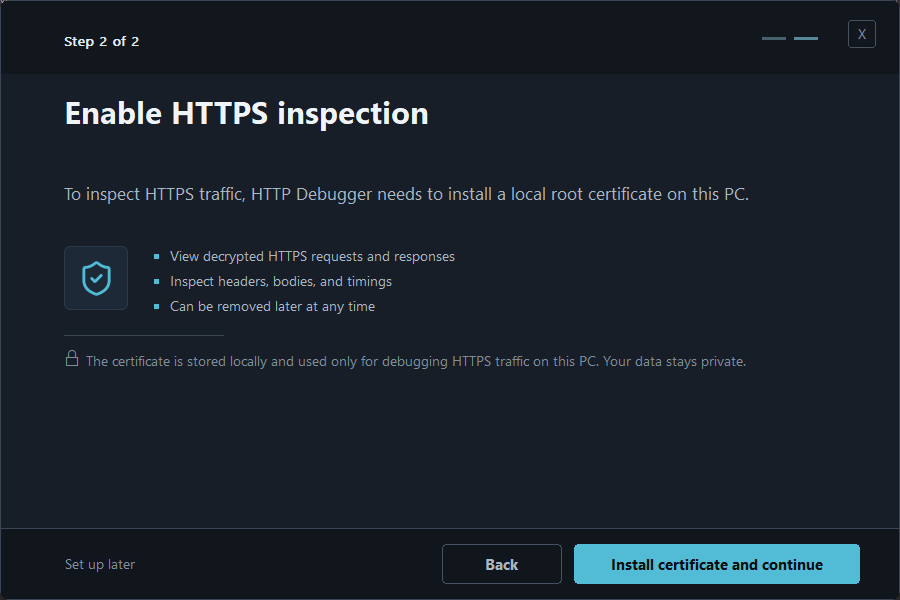
On first launch, HTTP Debugger offers to install the certificate. Once
installed, it appears as HTTP DEBUGGER CA for DEBUG ONLY in
the Windows certificate manager (certmgr.msc) under Trusted
Root Certification Authorities.
How to fix HTTPS in Firefox and Opera (own trust store)
Firefox and Opera don't read the Windows store. They keep their own Network Security Services (NSS) certificate database per profile and validate TLS against that. A root trusted for Chrome and every desktop app stays invisible to them, so HTTPS keeps coming through encrypted in that browser only. HTTP Debugger installs the root into both automatically.
How to fix HTTPS for Java apps (manual keystore import)
Java is the exception: HTTP Debugger can't update its keystore for you. The
JVM validates TLS against its own cacerts keystore, so you
import the root manually with the Java keytool. The
Java cacerts import guide has the exact steps.
A Java client whose keystore lacks the root fails with
PKIX path building failed or an SSLHandshakeException
instead of decrypting.
Reset Settings reinstalls the root certificate
If decryption worked before and then stopped (the root was removed,
regenerated, or a browser profile reset dropped it), run Reset
Settings. It reinstalls the HTTP Debugger root across the Windows
Trusted Root store and every Firefox and Opera profile. It's a full reset,
so it clears your filtering, highlighting, and modifier rules; Java's
cacerts stays manual.
Still not decrypting? Common mistakes
When HTTPS is still missing or unreadable after you trusted the root on Windows, the cause is usually one of these. Each has a specific tell in the captured connection.
| Symptom | Likely cause | Fix |
|---|---|---|
| Chrome decrypts, Firefox stays encrypted | Firefox reads its own NSS store, not the Windows system store | Run Reset Settings so HTTP Debugger reinstalls the root into every Firefox profile; restart Firefox |
A Java app throws PKIX path building failed | The root isn't in the Java cacerts keystore | Import the root with keytool -importcert into cacerts |
| One host never decrypts; others do | Certificate pinning: the client only accepts its own pinned certificate | Expected, not a bug: pinned connections pass through still-encrypted (see below) |
| Decrypted traffic isn't the request you expected | A different process produced it | Check the process ID, name, and path against the SSL flag on the connection |
Certificate pinning deserves the clearest explanation: it looks like a bug and is not. A pinned client, as the OWASP Pinning Cheat Sheet describes, associates a host with one expected certificate or public key and rejects anything else, including a local debugging root. When that happens, HTTP Debugger passes the connection through still-encrypted: the body stays unreadable, but the connection metadata (host, port, process, SSL flag) is still captured. You can see the pinned call happen even though you can't read its contents.
FAQ
Why is my HTTPS traffic not showing up when HTTP is?
HTTPS inspection is off until a local root certificate is trusted, so HTTP Debugger shows a notice above the grid instead of listing HTTPS requests it can't decrypt. Trust the root in the store the client reads: the Windows system store for Chrome, Edge, and most apps, but a separate store for Firefox, Opera, and Java. Once that store trusts the root, the HTTPS requests appear decrypted.
Can I see HTTPS traffic without installing the certificate?
No. HTTPS is encrypted end to end, so HTTP Debugger can't read it until the local root is trusted. Without it, HTTPS inspection stays off and those requests aren't listed. Installing the root is one click and changes nothing on the server or network; plain HTTP is captured with or without it.
How do I trust an SSL certificate (root CA) on Windows?
Click the "Install certificate" button on HTTP Debugger's HTTPS
inspection notice: it adds the root to the Windows Trusted Root
Certification Authorities store for you, with no manual steps. To
check it by hand, open certmgr.msc for the current user
or certlm.msc for the local machine and look under
Trusted Root Certification Authorities. Chrome, Edge, and most native
and CLI clients read this store; Firefox and Java keep separate stores.
Can you decrypt HTTPS without the server's private key?
Yes, for traffic from clients on your own machine, by trusting a local root certificate and decrypting with a controlled man-in-the-middle, which is how HTTP Debugger reads HTTPS. You can't passively decrypt arbitrary HTTPS with only the server's certificate: modern cipher suites use ephemeral Diffie-Hellman for forward secrecy, so the server's long-term key no longer recovers the session key. As the Wireshark TLS wiki notes, the RSA-private-key method fails with (EC)DHE and TLS 1.3, which is why packet tools fall back to a key-log file that only browsers write, leaving desktop and Java clients readable only through a trusted local root.
Are there other ways to decrypt HTTPS traffic?
Yes. Besides the trusted-root man-in-the-middle that HTTP Debugger
uses, HTTPS can be decrypted in other ways, for example by hooking
the TLS library to intercept SSL_read and
SSL_write inside the process, or by having the client
export its session keys to a TLS key-log file that a packet analyzer
reads. These techniques are usually less reliable, so they're rarely
used.