- Client browser · service · CLI
- Loopback target localhost · 127.0.0.1 · ::1
- Local server same machine · listening port
- Inspect process · request · response
Windows routes 127.0.0.1 and ::1 through the local
loopback stack, not a physical network adapter. Browsers may bypass the
configured proxy for these addresses, so the request never reaches the
proxy listener. localhost can resolve to either address, while
the server may listen on only one. Filtering only for
127.0.0.1 misses requests sent to ::1.
Why it can be difficult to debug localhost traffic
A proxy sees a request only when the client sends the request to its
listener. Microsoft Edge applies an implicit loopback bypass by default.
For manual proxy settings, <-loopback> removes the bypass
and sends localhost traffic to the configured proxy
(Microsoft Edge proxy support).
Some proxy-based tools require a hostname alias or a special URL when a client bypasses the proxy. Client-specific bypass settings can make the same localhost request appear in one application but not another.
Debug localhost traffic without a proxy
HTTP Debugger captures
localhost, 127.0.0.1, and ::1
system-wide
without routing requests through a proxy.
No hostname alias or proxy port is required.
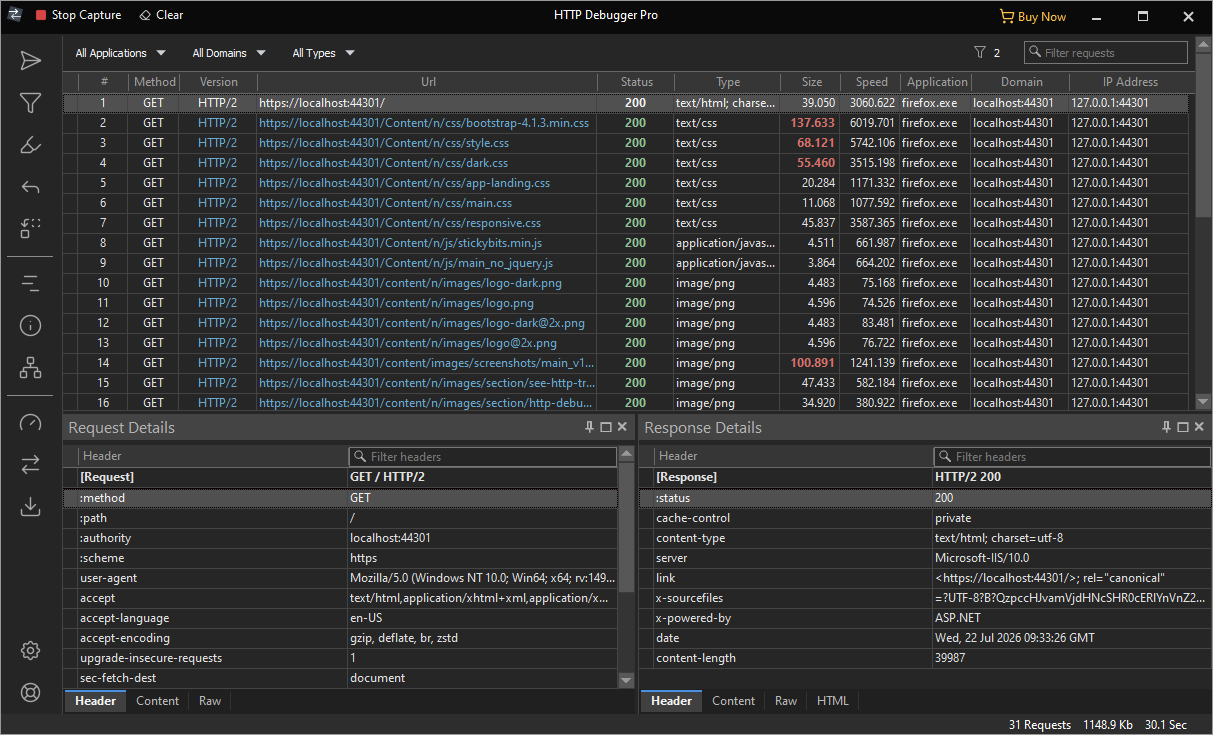
HTTP Debugger captures localhost and 127.0.0.1
traffic without localhost-specific configuration. Start the application
and repeat the request to inspect the originating process, request, and
response in the UI.
HTTPS traffic to localhost requires no localhost-specific
decryption settings. HTTP Debugger decrypts it the same way as traffic to
any other HTTPS server.
localhost, 127.0.0.1, and ::1 are different targets
| Target | Type | What it is |
|---|---|---|
localhost | Hostname | Special-use hostname that resolves to an IPv4 or IPv6 loopback address (RFC 6761 §6.3) |
127.0.0.1 | IPv4 |
Loopback address inside the 127.0.0.0/8 block that must
never appear off-host
(RFC 1122 §3.2.1.3)
|
::1 | IPv6 | The single IPv6 loopback address, used by a node to send IPv6 packets to itself (RFC 4291 §2.5.3) |
A server may listen on only one loopback family. If it binds to
127.0.0.1, a client that resolves localhost to
::1 can receive Connection refused. Check the
captured destination address instead of assuming the hostname used IPv4.
Inspect incoming requests to a localhost server
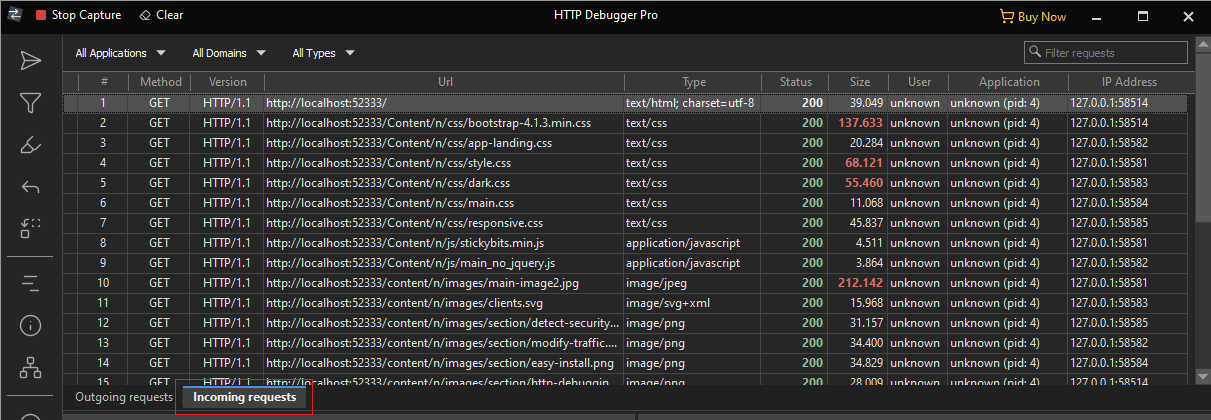
Requests sent by clients to local APIs appear in the Outgoing requests tab. Requests received by local servers, including webhooks and OAuth callbacks, appear in the Incoming requests tab. The tabs appear after the first inbound request is captured.
Common localhost debugging failures
| Symptom | Likely cause | Fix |
|---|---|---|
| Nothing appears in a proxy tool | The client bypasses its configured proxy for loopback addresses | Change the client bypass setting or capture without a proxy |
localhost connects, but 127.0.0.1 or ::1 fails | The server listens on one loopback family, or localhost resolved to a different address | Check the captured destination and the server's IPv4 and IPv6 listening sockets |
| Connection refused | No listener is bound to the captured address and port, or a local rule rejected the connection | Check the server's listening sockets and the captured destination |
| Connection succeeds but no HTTP response appears | The server accepted the TCP connection but did not return a complete HTTP response | Inspect the server logs and confirm that the client used the expected protocol |
ERR_SSL_PROTOCOL_ERROR / localhost sent an invalid response | The endpoint is not speaking valid TLS on that port, or TLS negotiation failed | Confirm the URL scheme, listening port, and server TLS configuration |
| Browser certificate warning | The certificate has a trust, hostname, validity, or revocation problem | Inspect the specific certificate error before changing the trust store |
FAQ
Why is localhost traffic missing from a proxy capture?
Many clients bypass configured proxies for loopback targets. Change the client bypass setting when supported, or use capture that does not depend on proxy routing.
How do I capture 127.0.0.1 traffic on Windows?
Start HTTP Debugger, reproduce the request, and filter by
127.0.0.1 or the server port. Check ::1 if the
client used localhost, since the name may resolve to IPv6.
Can I capture localhost HTTPS traffic?
Yes. Enable HTTPS inspection, reproduce the request, and inspect the decrypted headers and body. Localhost requires no additional decryption settings.